Rustforged
D&D 5E Virtual Tabletop Map Editor
A lightweight, performant VTT map editor built entirely in Rust. Create layered maps, manage fog of war, and run live sessions with a dedicated player display on a secondary monitor. No browser overhead, just native performance.
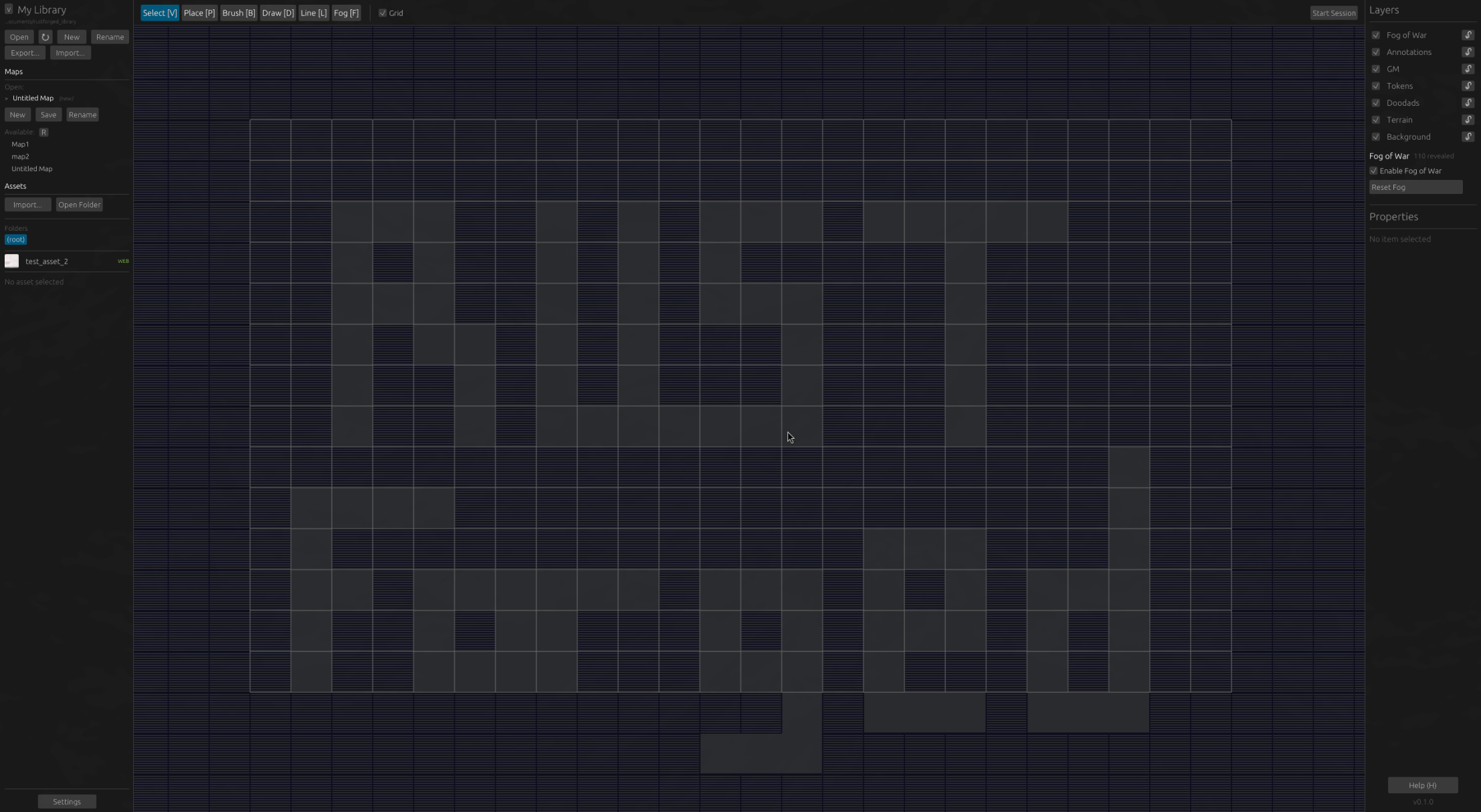
About
Rustforged is a native VTT map editor designed for Game Masters running D&D 5E and other tabletop RPGs. Built with Bevy's ECS architecture and bevy_egui for the UI, it provides a smooth editing experience without the latency and resource consumption of browser-based alternatives.
The editor supports a full layer-based workflow with 8 distinct layers, allowing precise control over map composition. A 70px grid system with snap-to-grid placement makes positioning assets intuitive, while fog of war tools let you reveal the map to players as they explore.
Key Features
Layer-Based Editing
8 distinct layers with independent visibility and locking. Proper z-ordering ensures correct rendering.
Fog of War
Circular brush to reveal/hide areas. Semi-transparent in editor, opaque black for players. Grid-aligned single-cell reveal with Shift+click.
Live Session Mode
Secondary monitor display for players. Movable/resizable viewport with 90-degree rotation support. Real-time sync between editor and player view.
Asset Library
Portable asset libraries with category organization. Thumbnail caching for performance. Support for PNG, JPG, WebP, GIF, BMP, and TIFF.
Drawing Tools
Freehand drawing, straight lines, and text annotations. All annotations are editor-only and hidden from players.
Undo/Redo History
Full command history with copy/paste/cut support. Never lose work with comprehensive state tracking.
Layer System
Maps are composed of 8 layers, each serving a specific purpose. Layers can be toggled visible or locked to prevent accidental edits. The z-ordering system supports up to 25 items per layer.
Editor Tools
- Select (V/S) - Select and transform placed items with resize handles
- Place (P) - Place assets from the library onto the map
- Brush (B) - Continuous placement for terrain and patterns
- Draw (D) - Freehand drawing for annotations
- Line (L) - Straight line drawing tool
- Text (T) - Text annotations with configurable size and color
- Fog (F) - Fog of war brush for reveal/hide
Tech Stack
Architecture
Rustforged uses Bevy's plugin-based architecture for clean separation of concerns:
- ConfigPlugin - Application configuration and persistence
- EditorPlugin - Camera, tools, selection, annotations, fog of war
- AssetLibraryPlugin - Asset discovery, thumbnails, library management
- MapPlugin - Map data, layers, persistence, dirty state tracking
- LiveSessionPlugin - Secondary window, viewport controls, player camera
- UiPlugin - Egui UI panels (toolbars, dialogs, side panels)